See what is left of your AI usage limits

Limmet is a free Chrome extension. It shows how much of your Claude, ChatGPT, Gemini, Grok, Cursor, GitHub Copilot, Perplexity, Suno and Notion AI limits is left, and when they reset.

Coming soon to the Chrome Web Store

Free. Needs Chrome 123 or newer.

The Limmet popup in the toolbar: one card for each service, with a bar, the percentage used and the time until the limit resets.

Works with nine services

Limmet reads the usage each service already shows on its own website, for the accounts you are signed in to.

  • Claude
  • ChatGPT
  • Gemini
  • Grok
  • Cursor
  • GitHub Copilot
  • Perplexity
  • Suno
  • Notion AI

What it does

One popup for every service

Open the toolbar popup to see one card per service: bars, the percentage or the count left, and the time until each limit resets. Where a service provides them, it also shows spend and credits, such as monthly Suno credits, Cursor on-demand spend, GitHub Copilot spend beyond the allowance, your Perplexity credit balance and your Notion AI response allowance.
A small widget where you work

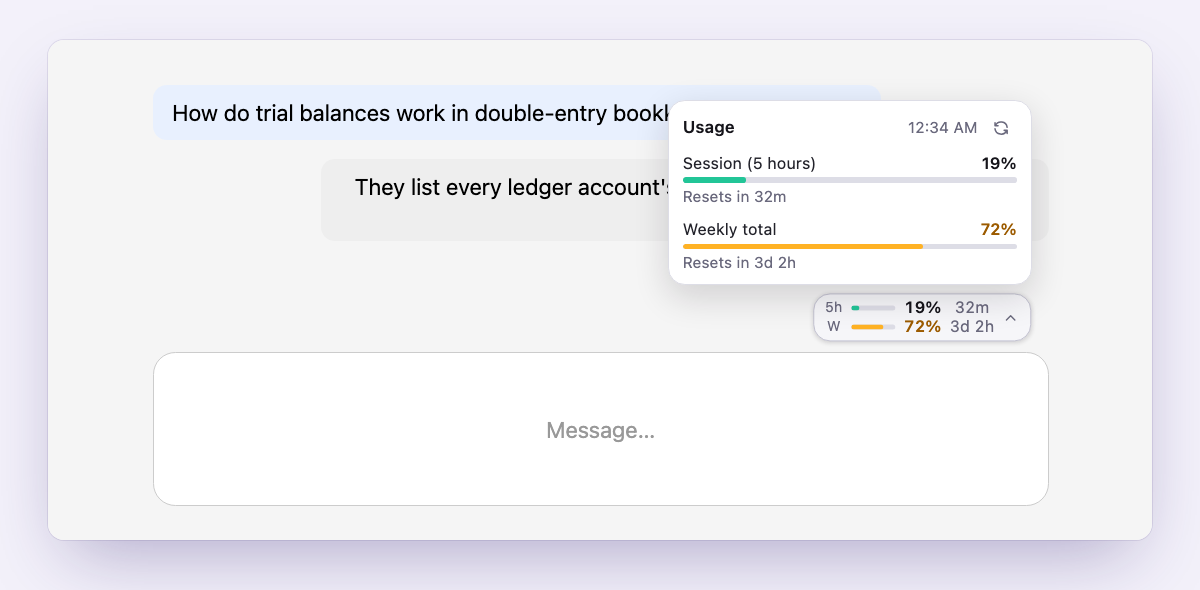
On claude.ai, chatgpt.com, gemini.google.com and grok.com, a pill-shaped widget shows the main limits. Click it to open a panel with the full list. Notion AI appears in the popup only.

Alerts you control

Turn on desktop notifications for the services you choose. Pick a percentage from 50 to 95 to be warned at, and get a note when a limit resets. The toolbar badge shows Claude’s usage.

Yours to arrange

Choose the order of the services, hide the ones you do not use, set the widget and notification options for each service, and pick the size of the popup.

History on your device

Limmet keeps a light usage history for 90 days, at most one point per hour for each limit. You can export it to a CSV file. It never leaves your device.

Fresh without effort

Limits are refreshed every 15 minutes in the background and whenever you open the popup. Services you are signed out of are re-checked every hour.

A closer look

The Limmet widget on a chat page: a small pill above the message box, opened into a panel with the session and weekly limits and the time until they reset.
The widget sits above the message box and opens into a panel.
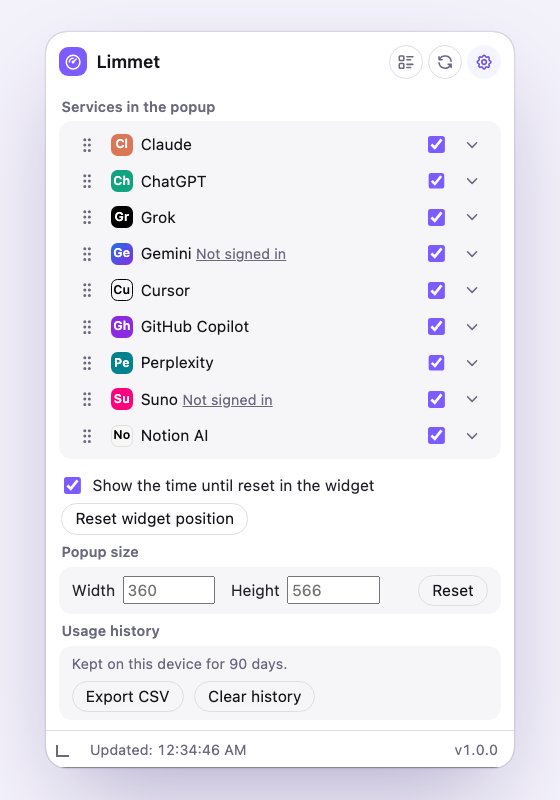
The Limmet settings: the list of services with switches to show or hide each one, and the popup size.
Order the services and show only the ones you use.
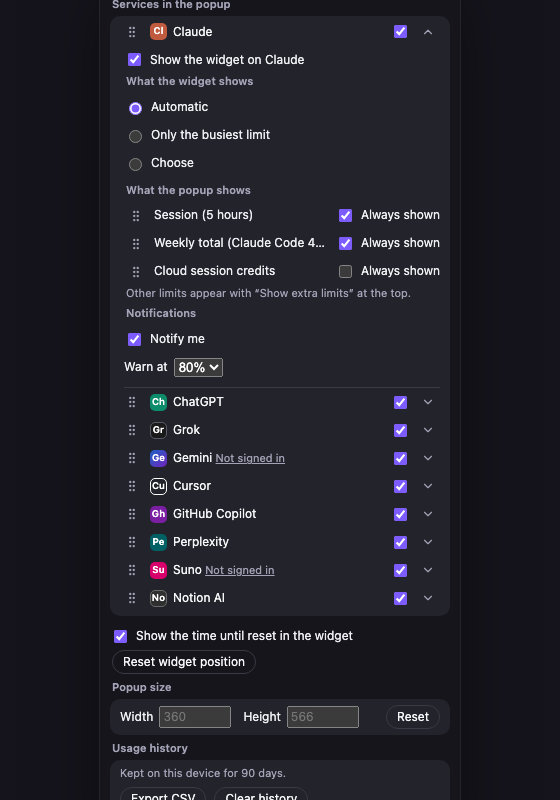
The settings of one service in dark mode, with the widget options, the limits the popup shows and the notification switch with the percentage to warn at.
Each service has its own widget and notification options.

Private by design

Limmet has no server and no account. It asks each service for your usage from your own browser, with the sign-in you already have, and it never sees or stores your passwords. Everything it keeps stays on your device. There are no ads, no analytics and no tracking, and nothing is sent to the developer or to anyone else.

Read the privacy policy